

📑 Table of Contents
- Kirka.io: A Voxel Shooter With a Parkour Mode Hiding Inside
- Shoot Fast, Land Softer
- Who Made It
- Three Ways to Play
- Kirka.io Unblocked: Fitting a Match Into a Free Period
- Keys to Learn Before the Countdown
- Five Dashes Worth Remembering
- Parkour Mode Might Fix Your Aim
- More Shooters Worth Queuing For
- One Clean Landing Away
Kirka.io: A Voxel Shooter With a Parkour Mode Hiding Inside
Shoot Fast, Land Softer
Written by Riley Chen
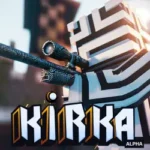
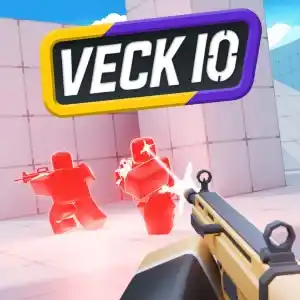
One mode is usually all a browser shooter offers. Kirka.io has three. It’s a free multiplayer first-person shooter with a chunky voxel look, and you can jump into a solo free-for-all, a team battle, or a parkour mode that has more to do with jumping than aiming. That mix is what makes it stand out among io games, since most shooting games stick to one style. One minute you’re trading shots with strangers, the next you’re trying to land a jump across a gap without losing your nerve. The blocky art style keeps everything easy to read, so you can tell enemies, ramps and ledges apart even when the action gets messy. If you like shooters that don’t take themselves too seriously but still reward good movement, this one is worth a few matches.
Who Made It
Listings credit the developer as Pierre-Éli. It runs in a normal browser tab.
Three Ways to Play
Solo free-for-all is the classic mode where everyone is an enemy. Team battles split players into squads, and parkour mode trades most of the shooting for movement challenges. There are 34 levels across these modes, though I couldn’t find a list of map names. You pick your weapons and loadout from your inventory, and chests bought with in-game gold add more weapons and skins. There are also daily quests, leaderboards and clans, but those are extras around the core fights.
Kirka.io Unblocked: Fitting a Match Into a Free Period
Lobbies fill fast, so a quick match between classes is realistic. Leaving mid-fight only costs you that match. Searching for games unblocked at school usually turns up a pile of laggy copies, so it’s worth testing how smoothly your version runs before you rely on it.
A Kirka.io unblocked Chromebook session handles movement and jumping fine on the keyboard. Aiming is where a trackpad struggles, so a USB mouse helps if your school allows one. My best parkour run ended with me falling off the same ledge four times in a row.
Keys to Learn Before the Countdown
- W, A, S, D: move
- Space: jump
- Shift: crouch
- E: dash
- Left-click: shoot
- Right-click or X: aim down sights
- 1, 2, 3: switch weapons
- P or Esc: open the weapon menu
Five Dashes Worth Remembering
Dash 1: Learn jump and dash together. Movement is half the game, so practice them before you worry about aim.
Dash 2: Dash out of a bad fight. If you’re losing a duel, use the dash to break line of sight instead of standing your ground.
Dash 3: Crouch before you shoot at range. A steadier position makes long shots easier to land.
Dash 4: Check your loadout before you queue. Walking into a match with the wrong weapon is an easy way to lose a round.
Dash 5: Visit parkour mode when your aim is off. It’s a good place to sharpen your movement without the pressure of a gunfight.
Parkour Mode Might Fix Your Aim
It sounds backwards, but I got better at the shooting modes after spending time in the parkour one. Movement habits carry over. Once you stop panicking about jumps, you stop panicking about fights, and your crosshair settles down.
More Shooters Worth Queuing For
Krunker.io is a fast browser shooter known for its tight movement and a huge library of community-made maps.
Shell Shockers is a multiplayer shooter where the players are armed eggs.
Jump over to unblockedgamesfree.com whenever you want to swap shooters.
One Clean Landing Away
Kirka.io is easy to underestimate. You miss a jump, lose a fight you should have won, and queue again just to get it right. Eventually you stick a landing and win a duel in the same match. Pick a mode and see which one clicks first.