📑 Table of Contents
- Coming From Unblocked Games 76? You're in the Right Place
- What You'll Find in the Library
- Six Games Worth Starting With
- Cookie Clicker: Zero Skill, Total Obsession
- Run 3 Starts Easy, Then Gets Mean
- Snow Rider 3D: Pure Downhill Reflexes
- Google Doodle Basketball: 24 Seconds to Brag Rights
- Coreball Is One Button and a Real Patience Test
- Why Kart Bros Races Always End Too Soon
- Short on Time? Here's How to Pick
- How We Keep the Library Worth Coming Back To
- Why the Site Looks Like Outer Space
- Built for the School Chromebook, Not Against It
- A Small Detour: Every Class Has Its Game
- Questions People Actually Ask
- Are the games here safe for kids?
- How often do new games show up?
- Will the games work on my device?
- Go Find Your Next Favorite
Twelve minutes left in study hall. Your Chromebook is on 31% battery, half the internet is blocked, and the last game site you tried wanted you to download a launcher before it would show you anything. Nope.That exact moment is why
unblockedgamesfree.com exists. Every game here runs inside a normal Chrome tab. You tap a thumbnail, the game loads right there on the page, and you're playing before your friend across the table finishes asking what you're doing. There's no launcher, no mystery .exe file sitting in your Downloads folder, and no account you have to make before you're allowed to have fun.The idea behind the site is pretty simple. Keep a big, honest library of unblocked games. Make sure every one of them actually works. Make sure they're fine for kids to play. Then keep adding more. That's the whole pitch, and everything else on this page is just us explaining how it plays out in practice.
Coming From Unblocked Games 76? You're in the Right Place
If you searched for unblocked games 76, or a friend told you the name, relax. You're in the right place.
Everything here loads right in your browser, on a school Chromebook or at home, and the category sections below will help you find something to play in a few seconds. Your scores and progress usually save in your own browser rather than on our end, so stick to the same browser next time and your high score should still be there.
Quick favor for future you: bookmark this page. Click the star at the right edge of the address bar, or press Ctrl + D if you're on a Chromebook. It takes two seconds and saves you from typing unblocked games 76 into a search bar every single lunch break for the rest of the year.
What You'll Find in the Library
The library is split into categories so you're not scrolling forever trying to find something that matches your mood. Here's a rough feel for what's in each one. We're not going to list every title, because that would take all day and you'd skip it anyway.
- Sports. These are arcade versions of real sports, the kind where the physics are a little silly and that's honestly half the appeal. Football Bros is one of the big ones here. Speed Stars is basically a sprint race where your fingers do all the running, and it gets surprisingly intense once you start chasing a better time.
- 2 Player. For when the person next to you says "bet." Basketball Stars is the classic pick in this category. One keyboard, two people, and an instant rivalry that somehow lasts the whole semester.
- Racing. Drift Hunters is the name most people already know. You pick a car, tweak it, find a track, and slide sideways around corners for way longer than you planned to. It's one of those games where you look up and twenty minutes are gone.
- Arcade and Skill. Short rounds, simple controls, and very hard to put down. Snake lives here, including the Google Snake Game version that a lot of people first found by accident while searching for something else entirely.
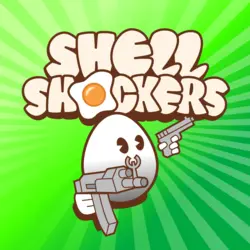
- Shooter. 1v1.lol is here for the build-and-battle crowd. Shell Shockers is here if you've ever wanted to be an egg holding a rifle. Yes, that's a real game, and yes, it's as ridiculous as it sounds.
- Io. Browser multiplayer where you jump into a match with real players. Krunker.io and venge.io are the go-tos if you like fast first-person matches that don't need a gaming PC.
If you're the type who hunts for a-z games unblocked lists so you can scan everything at once, the category pages do a similar job. They're just grouped by what kind of game you feel like playing instead of what letter it starts with.
Six Games Worth Starting With
New here and not sure where to begin? These six are the ones we'd point a friend to first. They cover different moods and different difficulty levels, and every one of them is easy to pick up in under a minute.
Cookie Clicker: Zero Skill, Total Obsession
You click a cookie. Then you buy a grandma to click cookies for you. Then things get strange. Cookie Clicker sounds pointless when you describe it out loud, yet it somehow eats entire afternoons, because every upgrade opens up a bigger number to chase.
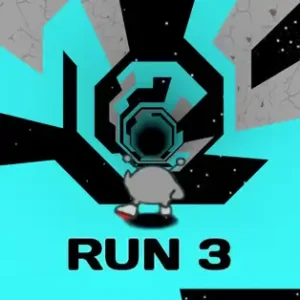
Run 3 Starts Easy, Then Gets Mean
A little gray alien runs through tunnels floating in space, and when there's a gap in the floor you can jump onto the wall and the whole tunnel rotates with you.
Run 3 Unblocked starts off gentle and gets mean fast. There are loads of levels and extra characters to unlock, so there's always a next thing to aim for.
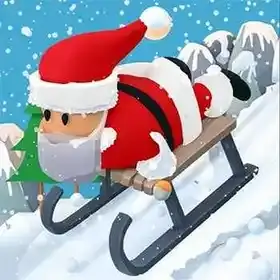
Snow Rider 3D: Pure Downhill Reflexes
You're on a sled flying downhill while trees, snowmen, and other obstacles keep popping up in your way.
Snow Rider 3D Unblocked is all about quick left and right reactions. Grab the gift boxes along the route and you can unlock new sleds, which turns out to be a very convincing reason to try one more run.
Google Doodle Basketball: 24 Seconds to Brag Rights
This one started life as a Google Doodle during the 2012 Olympics. You get 24 seconds to sink as many shots as you can, and the whole trick is timing your release.
Google Doodle Basketball is short and a little silly, but it gets weirdly competitive once two people start comparing scores.
A spinning circle, a stack of pins, and one button. Your job is to shoot every pin into the circle without hitting one that's already stuck there.
Coreball is about as minimal as a game can get, and the later levels will test your patience in a very real way.
Why Kart Bros Races Always End Too Soon
Quick arcade kart racing with short tracks and tight corners.
Kart Bros is the kind of racer where a full race only takes a couple of minutes, which makes it perfect for that gap between finishing your worksheet and the teacher coming around to collect it.
Short on Time? Here's How to Pick
Not every free period is the same length, so it helps to match the game to the time you've actually got.Got five minutes or less? Go with something where a round ends fast. Coreball, Snake, and Google Doodle Basketball are all good here, because you can stop at any point without feeling like you lost progress.Got a full lunch break? That's when the longer games make sense. Run 3 has enough levels to keep you busy for weeks, and Drift Hunters rewards you for sticking around and figuring out how each car handles.Sitting next to a friend? Head to the 2 Player category. Basketball Stars is the obvious one, but honestly anything with a score you can compare works. Even Snow Rider 3D turns into a competition once someone says "okay, beat that."Want something that runs in the background while you do other stuff? Cookie Clicker. It's the only game on the list that quietly keeps playing itself while you pretend to take notes.
How We Keep the Library Worth Coming Back To
The library doesn't sit still. New games get added on a regular basis, so if you've already worn out your usual favorites, check back in a few days and there's a good chance something new will be waiting. Play them at school, at home, or on a slow shift at work. We won't tell anyone.Before any game goes live, someone here actually sits down and plays it. We check two things. First, does it load and run properly in a browser? Second, is it okay for a kid to be playing it? If a game fails either test, it doesn't go up. That's also why this isn't some giant pile of random uploads that half-work.Things still break sometimes, though. A game that ran perfectly last week can start acting up after the developer pushes an update on their end. If you run into that, hit the report button on the game's page, or send us a message through the Contact Us page. We'd much rather hear about a broken game than have you quietly give up on it and leave.
Why the Site Looks Like Outer Space
You probably noticed this site doesn't look like a spreadsheet with game thumbnails pasted onto it. That was a choice.The whole design sits on a dark space theme. There's a glowing moon near the top of the page and small stars twinkling in the background. Dark backgrounds are easier on your eyes when you're playing late at night or sitting under those harsh classroom lights, and honestly, it just looks cool. A game site should feel a little bit like a game itself.Thumbnails also come with four badges, so you can tell what's going on at a glance:
New,
Hot,
Featured, and
Popular. If you only have a minute to decide, the badges do a lot of the choosing for you.Then there's speed. The site scores 99 on page speed testing, and that matters more than it sounds. School Wi-Fi is often shared by hundreds of devices at the same time, and a heavy, bloated site on a network like that is miserable to use. A light one loads before you've even had time to get annoyed. We wanted Unblocked Games Free to feel premium without being slow, and that score is about the best proof we can offer.
Built for the School Chromebook, Not Against It
Most people playing
unblocked games at school are on a Chromebook, and school Chromebooks come with their own set of rules.The Play Store is usually locked. Extensions are often disabled by the school admin. You can't install anything, and plenty of these laptops run on around 4GB of RAM, which is fine for Google Docs and not a lot else. So the games here are chosen with that in mind. They run inside Chrome, in a regular tab, using what the browser already has. None of them need an extension or any special setup to work.A lot of people land here after searching google unblocked games, usually because they want something that behaves nicely on a school Google account and a locked-down Chrome browser. That's exactly the setup this site is built around.A few practical tips, learned the hard way. Close the tabs you're not using before you start one of the heavier 3D games. Keep the Chromebook plugged in if you can, because some games chew through battery faster than you'd expect. If a game feels laggy, press the fullscreen key in the top row of the keyboard and give it the whole screen. Lighter games like Coreball or Snake will run fine on pretty much anything.One honest note, too. Every school network is set up differently. We can make sure the games are light, browser-based, and appropriate for kids. What your school's filter decides to do with any website is out of our hands. Most of the time it works out fine, but we'd rather tell you that upfront than promise something we can't control.If you've played on
classroom6x before, you'll recognize a lot of what's here, same kind of library, same no-download setup. Different site, same idea behind it.
A Small Detour: Every Class Has Its Game
Here's something anyone who's been through school will recognize. Every class, every year, has one game that takes over. Nobody decides it. It just happens.One week everyone's quietly clicking cookies. A month later the entire back row is arguing about which Run 3 level is the worst. Then somebody discovers Basketball Stars, and suddenly there's a tournament bracket drawn on the back of a worksheet. By spring it's something else entirely, and the old favorite gets forgotten until someone digs it up two years later and it's "new" all over again.The funny part is that the game that takes over often wasn't even that popular anywhere else. It just happened to be in the right list of games unblocked on the right Chromebook at the right time, and one kid showed it to two others.It's the same thing that happened with Flash games years ago, and with the snake game on old phones before that. The format keeps changing. The feeling of sneaking in one round before the teacher looks up stays exactly the same.We don't really have a point here. It's just a fun thing to notice. But if you end up being the one who introduces the next big game to your class, you'll probably find it somewhere in these categories.
Questions People Actually Ask
Are the games here safe for kids?
Yes, and that's the whole reason every game gets checked first. Each one is played and reviewed before it goes up, and anything with content that isn't okay for younger players gets left out. If you ever spot something that seems off, use the report button on that game's page and it'll get looked at.
How often do new games show up?
Often. There isn't a strict schedule like "every Tuesday at noon," but new titles get added frequently enough that there's usually something fresh if you haven't visited in a while. Keep an eye out for the New badge on the thumbnails.
Will the games work on my device?
If your device has an up-to-date browser, you're in good shape. School Chromebooks, Windows laptops, and Macs all work well. Some games also run on tablets and phones, but keyboard-based games, which includes a lot of the racing and shooter titles, are obviously easier with a real keyboard. For the smoothest experience, use a current version of Chrome, Edge, or Firefox.
Go Find Your Next Favorite
That's pretty much everything. The library is here, the games are tested, your Chromebook won't complain, and new stuff keeps showing up. Pick a category, try one of the six games above if you're stuck, or just click the first thumbnail with a Hot badge and see where it takes you.And if something breaks, tell us. We'd rather fix it than leave you guessing.Now go play something. The bell isn't going to wait.

 FEATURED

 FEATURED
 🔥 HOT
🔥 HOT  POPULAR
 FEATURED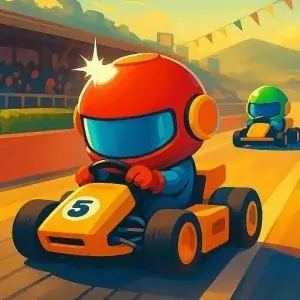

 POPULAR
  FEATURED